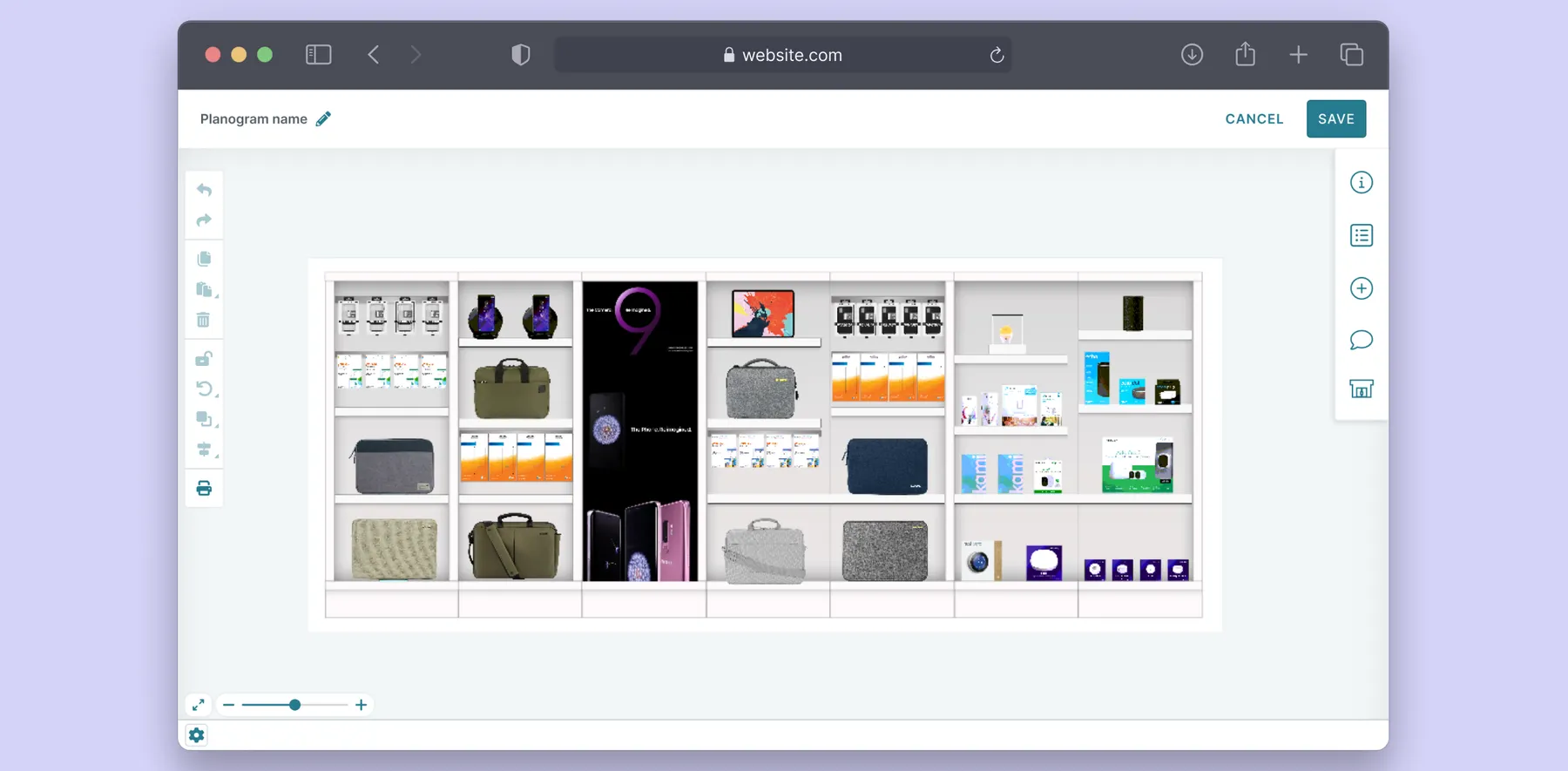
Image Gallery Evolution
Reimagining Compliance Review for Retail Operations
An iterative evolution from image review to a connected compliance workflow.
TL;DR
60-Second Version
Owned the evolution of a compliance image-review tool from a static gallery into a scalable, connected workflow. As submission volume and review complexity grew, the gallery evolved from automated issue detection to closing the loop between rejection, feedback, and resubmission. The core challenge was keeping the experience coherent as it grew more sophisticated.
Result: a clearer, scalable review path: find → understand → resolve — with interaction patterns that got reused across the broader platform.
Overview
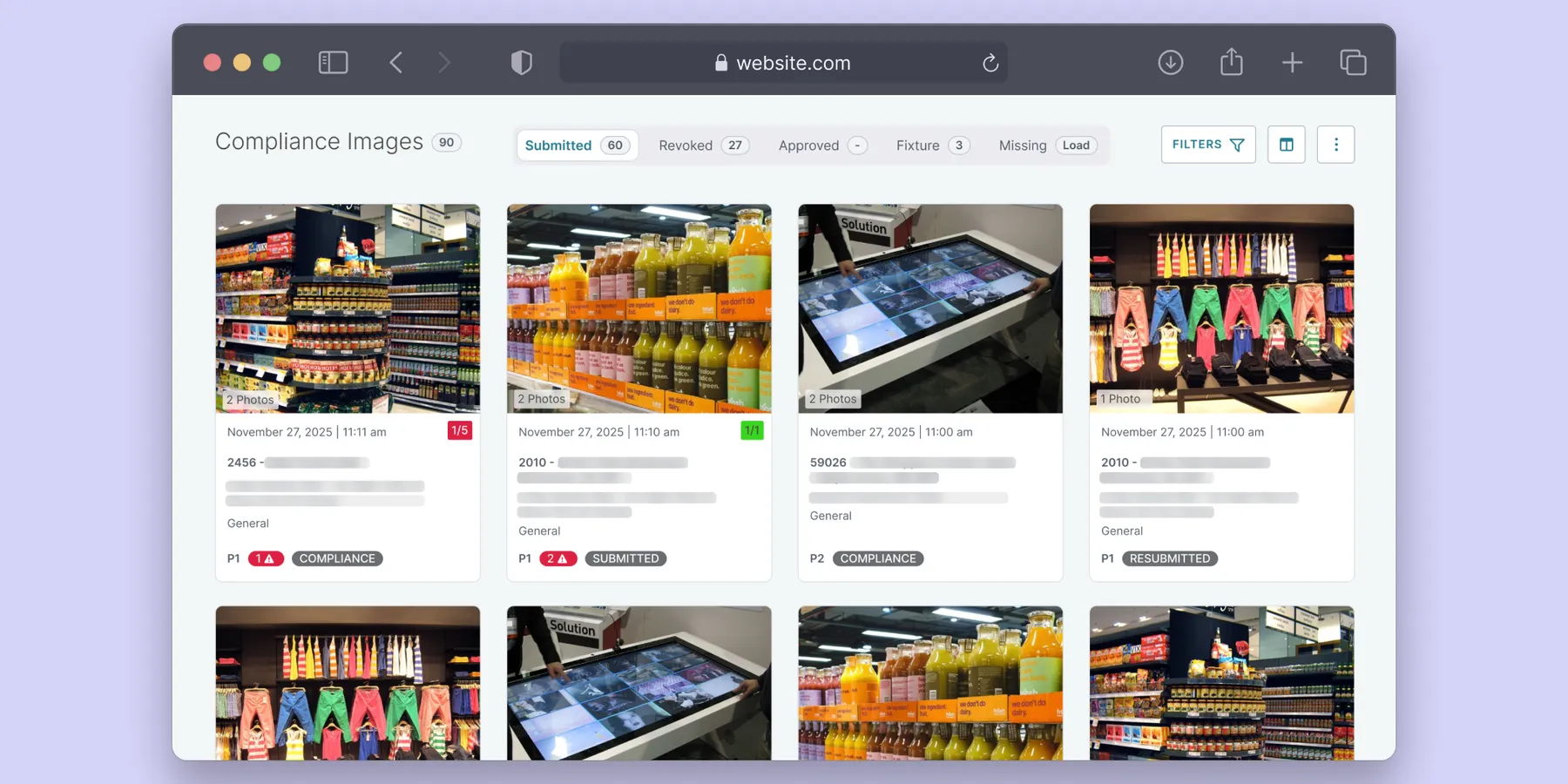
The compliance image gallery is a workspace that enables retail headquarters teams to evaluate fixture images submitted by employees across their store network. Store compliance is an important measure of how effectively visual merchandising changes have been executed in stores. HQ teams use submitted images to assess execution, provide feedback, reject submissions that do not meet requirements, and verify that requested changes have been completed. Compliance images also serve as an audit trail, providing evidence to brands that their products have been set up and displayed according to agreed upon standards.
I led the evolution of the compliance image gallery intermittently over roughly two years, adapting the experience as new functionality, workflows, and review requirements emerged. This case study looks at the continuous refinement of the product to support the changing needs of both HQ teams and store employees. Over time, the gallery evolved from a straightforward collection of images into a more connected workflow for reviewing, correcting, and verifying compliance over time.
Due to the project’s confidentiality under an NDA, certain specific details cannot be disclosed. The case study will instead highlight the methodologies and approaches used throughout the project. For more information, please connect with me here.
The Challenge
From a gallery to a growing workflow
The image gallery started with a relatively simple mental model:
Store submits an image → HQ reviews the image
But as the product evolved, that model became increasingly inadequate. The number of submissions reached thousands, and the number of ways HQ users could filter and act on those submissions continued to grow.
Then new capabilities changed the nature of the review itself. Automated image recognition could identify potentially irrelevant or non-compliant images, requiring a new relationship between machine-generated findings and human review.
Finally, once stores could respond to HQ feedback with a new submission, an image was no longer an isolated record. It became part of an ongoing compliance conversation.
The challenge was to continuously evolve the experience as the underlying compliance workflow became more sophisticated.
The approach
Evolving the experience, one workflow at a time
01 — Scaling the gallery
Making a growing collection easier to navigate
The original gallery used a persistent filter panel on the left side of the page. It consumed valuable horizontal space and was already becoming difficult to manage as more filtering options were planned.
At the same time, the gallery was evolving from pagination toward infinite scrolling.
I redesigned the filtering experience around a sticky toolbar, moving the filters out of the permanent sidebar and keeping key actions accessible as users moved through the gallery.
The filter panel itself was reorganized into horizontal columns, creating a more scalable structure for additional filtering options.
What changed:
- Reclaimed horizontal space for image cards
- Created a scalable structure for additional filters
- Kept filtering and actions accessible during scrolling
- Shifted the visual focus back toward the images users were reviewing
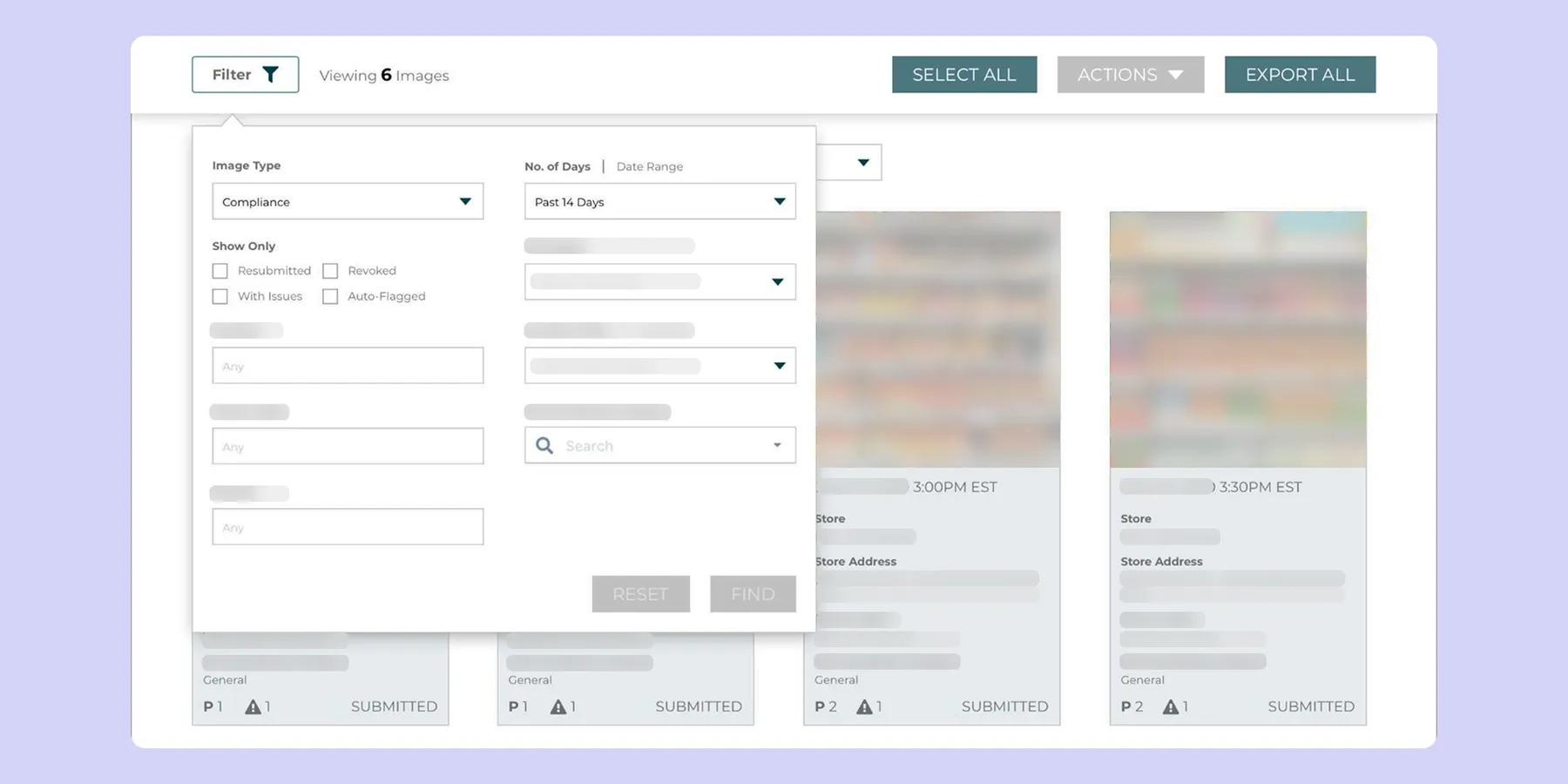
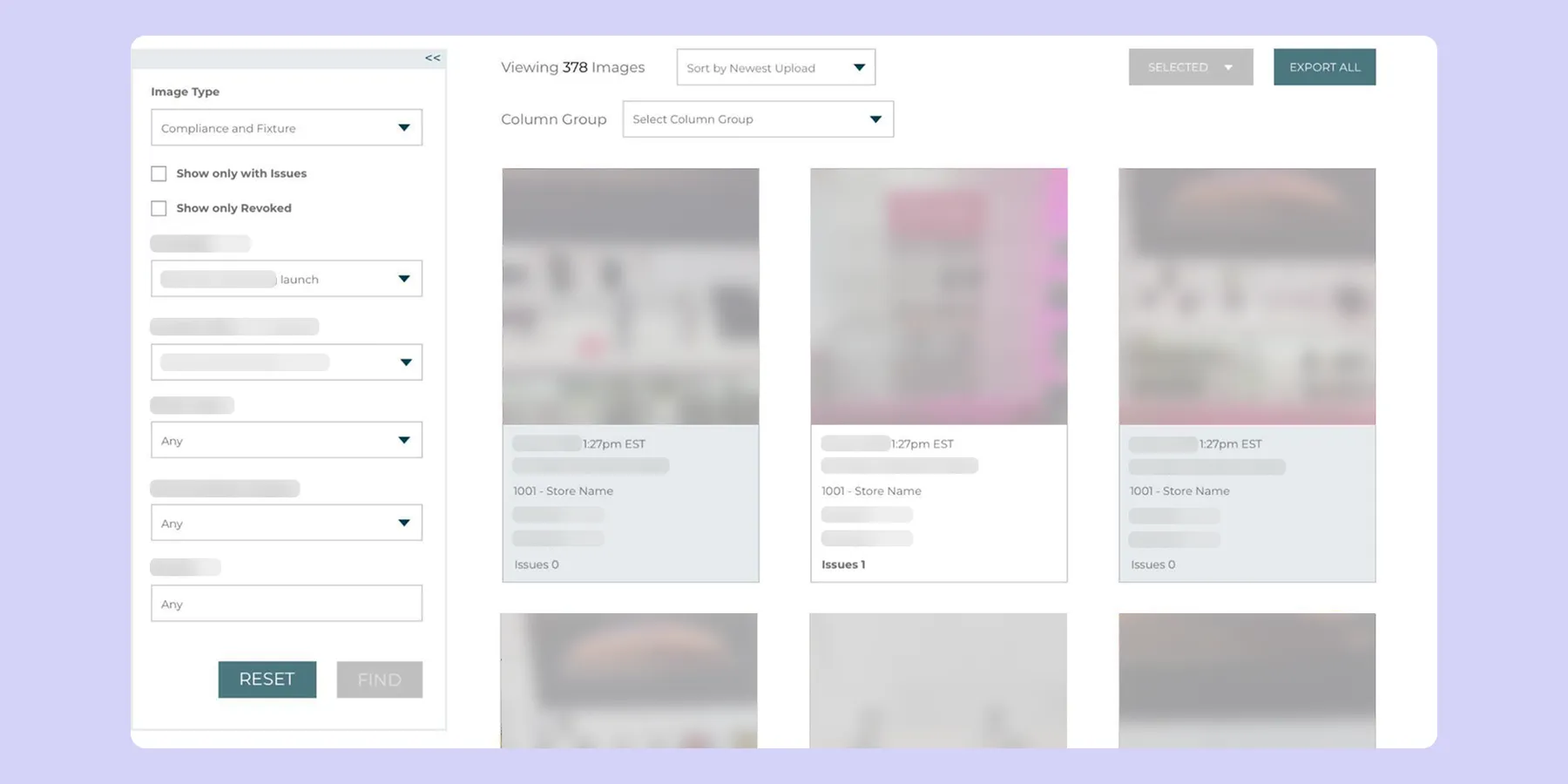
The goal wasn't simply to move the filters. It was to make the image gallery capable of growing without letting its controls overwhelm the workspace.
02 — Introducing automated review
Helping reviewers focus their attention
As the number of submissions grew, HQ users were spending time reviewing images that had nothing to do with compliance, such as selfies, photos of floors, or other unrelated images.
The product introduced an in-house image recognition capability that could initially determine whether an image contained a relevant fixture.
I designed the experience around a simple human-in-the-loop model:
Automated detection → Human review → Confirm or Revoke
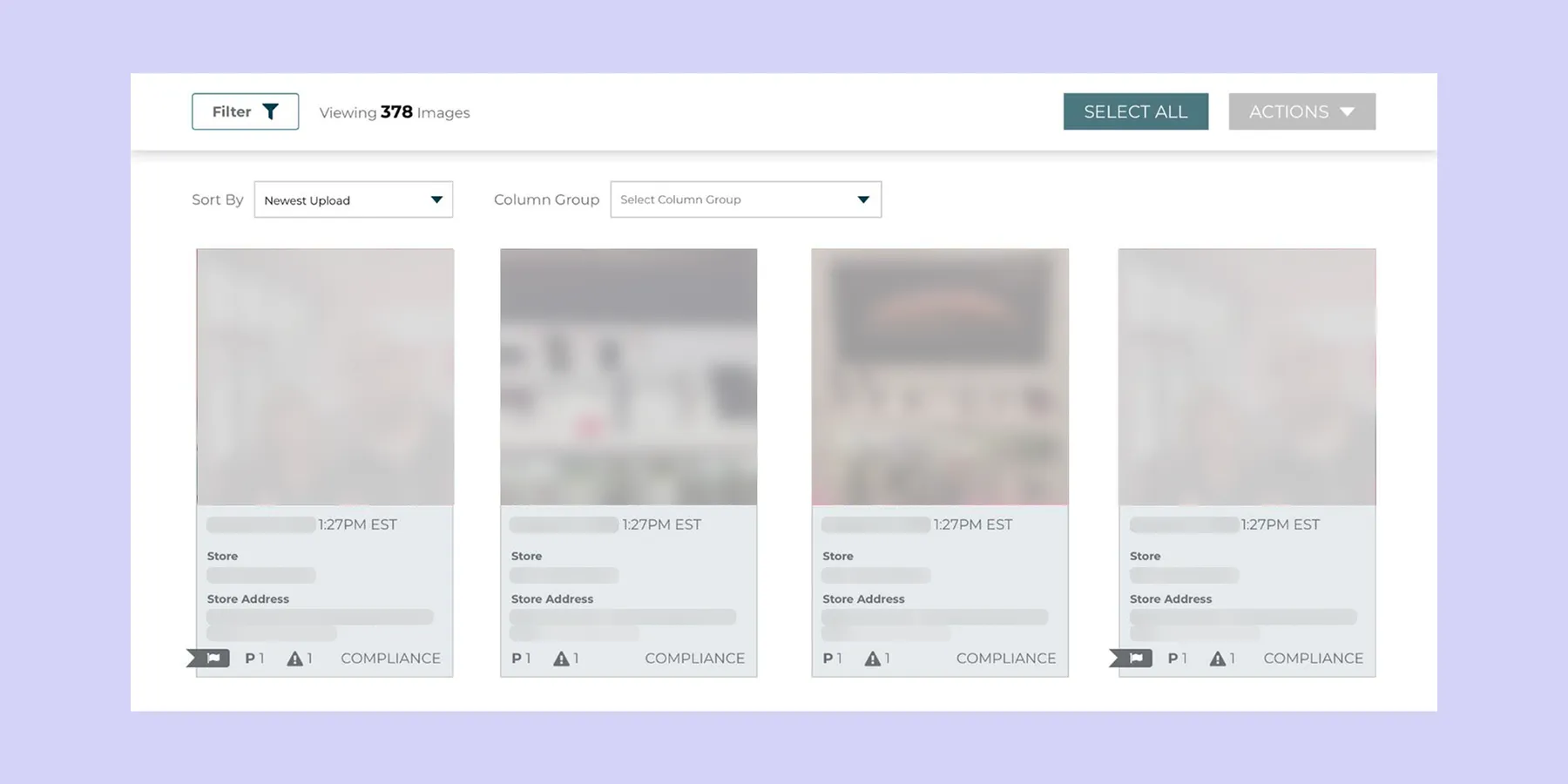
A small flag indicator distinguished automatically flagged images from other image submissions, while a new filter allowed HQ users to view only the flagged images rather than manually reviewing hundreds of image submissions.
Users could also correct an incorrect classification, creating a feedback loop that helped improve the image recognition model.
Building trust around a new capability
Because automated image recognition was new to the product, I also designed feature education and contextual guidance to explain what the system was doing and how users could correct it.
The system wasn't presented as the final authority. Automation surfaced potential issues; the HQ reviewer remained in control of the decision.
03 — From individual images to compliance history
Changing the mental model
The next evolution came as stores began resubmitting images after an earlier submission had been revoked by HQ. Previously, each resubmission appeared as a separate, independent image in the gallery. This required HQ reviewers to navigate between multiple image records to reconstruct the sequence of events:
Original submission → Revoked → Feedback → Resubmission
I redesigned the workflow to connect the original and resubmitted images within a single history, giving reviewers a clear view of the full submission lifecycle without having to piece together the context themselves.
The Timeline
I introduced a timeline within the image detail experience that brought the submission history together in one place.
The image details now showed:
- Submission history, shown chronologically
- Image status
- Fixture details
- Previous and current images
- Comments from HQ
- Comments from store employees
This allowed reviewers to move between the original and latest submission without leaving the context of the fixture.
Most importantly, it helped answer:
Did the store make the changes we asked for?
The Gallery was beginning to shift from a place to review images into a place to understand the history of a compliance issue.
04 — Closing the loop between HQ and stores
Turning revocation into a conversation
The new resubmission workflow also surfaced a gap on the store side. When HQ revoked an image, store employees needed to understand why it had been rejected and what changes were required before submitting a new image. When the feedback was unclear, their only option was to reach out to HQ through separate communication channels, such as email or internal messaging tools. This created a disconnect between the compliance workflow and the conversation needed to resolve it.
To address this, I designed a new compliance component for the store employee app that brought the entire feedback loop into the existing workflow. It clearly communicated the reason for revocation, outlined the requested changes, and introduced two-way communication between store employees and HQ. This allowed both teams to have the conversation within their respective applications, without relying on external communication channels or losing context along the way.
I also introduced notifications at key points in the workflow. Store employees were notified when a submission was revoked, while HQ reviewers were alerted when resubmitted images were ready for review. This removed the need for either team to manually check for updates and made the workflow more proactive.
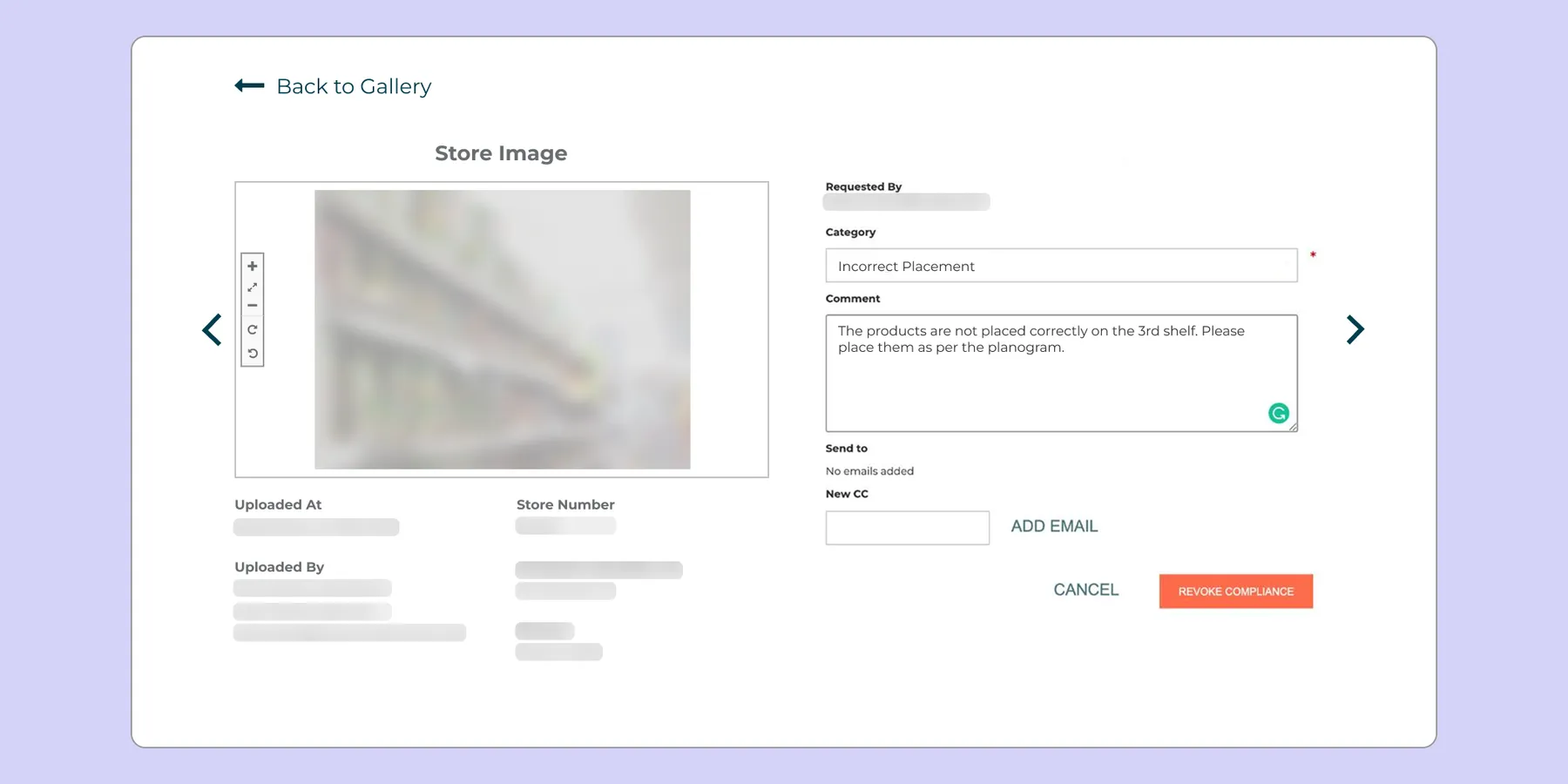
The workflow became:
HQ reviews → Provides feedback → Store receives notification → Store makes changes → Store resubmits → HQ reviews again
What had previously been a collection of disconnected steps and communication channels became a more cohesive compliance loop. By connecting feedback, communication, action, and resubmission across both applications, the experience gave each team the context they needed to move the issue forward without stepping outside the workflow.
05 — Bringing the experience together
Evolving the interface alongside the product
As the broader One Door product ecosystem adopted a new design language, the image gallery needed to evolve alongside it. With the gallery becoming more sophisticated over time, the existing interface was no longer enough to support its growing set of capabilities in a cohesive way.
Key changes included:
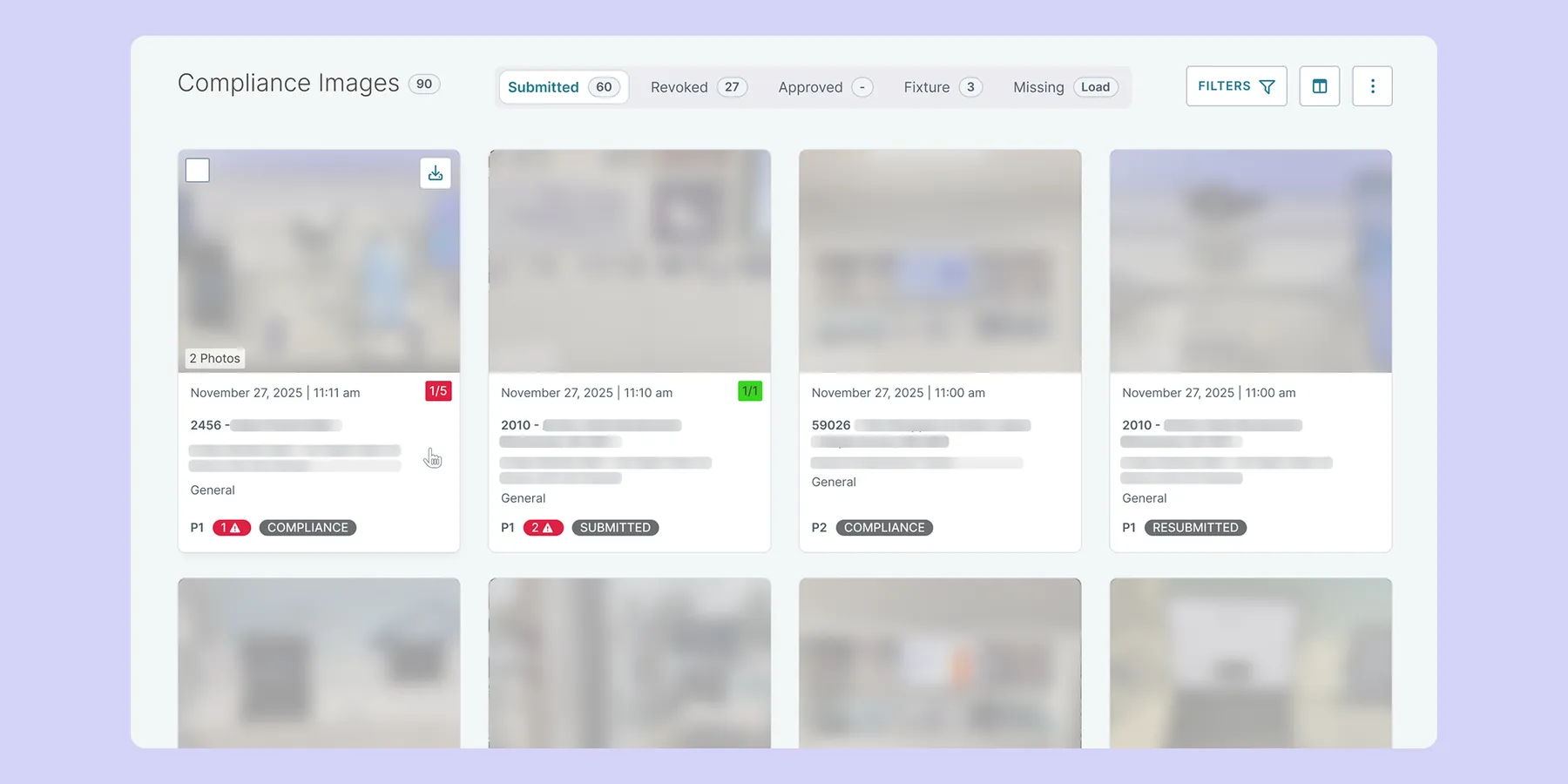
The redesign went beyond applying a new visual style. I revisited the layout, information hierarchy, and interaction patterns to make the expanding functionality easier to understand and manage. This created clearer relationships between different parts of the experience while reducing the sense of complexity for users.
The image gallery had evolved from a relatively simple image review experience into a more sophisticated compliance workflow. The redesign gave these capabilities a more cohesive home within the new design language while creating a stronger foundation for continued evolution.
The outcome
Detailed Lifecycle, Connected, Reduced Complexity
Over roughly two years, the image gallery evolved from an image repository into a connected compliance workflow.
The experience progressively moved from helping HQ users:
Find and review images
to helping them:
Identify potential issues → understand their history → communicate required changes → review resubmissions → verify compliance
For HQ teams
The new workflow made it easier to:
- Find submissions requiring attention
- Filter large collections of images
- Understand a fixture's submission history
- Compare original and resubmitted images
- Review feedback and previous decisions
- Identify resubmissions requiring follow-up
For store employees
The connected workflow provided:
- Clearer explanations when images were revoked
- A direct way to understand requested changes
- Two-way communication with HQ
- Notifications when action was required
- A clear path to resubmit corrected images
Beyond the image gallery
Some of the interaction patterns developed through this work, particularly the filter panel and sticky action patterns, proved useful beyond the image gallery. They were subsequently reused across other areas of the platform, helping establish more consistent interaction patterns as the broader design language continued to evolve.
Because reliable quantitative metrics were not available for this work, I chose not to attribute specific numerical improvements to the redesign. Instead, the impact was reflected in the evolution of the workflow itself, the stronger connection between submission, review, and resubmission, and positive internal and client feedback around the new experience. The work also demonstrated how incremental improvements to a mature product can create patterns and solutions that benefit the broader platform over time.
Looking back
The strongest shift in the image gallery was not visual, but in how the product supported the overall compliance image workflow. What began as a place to review submitted images gradually evolved into a system for understanding and managing the lifecycle of a compliance issue, from initial submission and review through feedback, correction, and resubmission.
Leading the product’s evolution over time allowed me to continuously adapt the experience as new capabilities, workflows, and user needs emerged. Rather than treating each enhancement as an isolated feature, I focused on connecting these individual pieces into a more cohesive workflow, one that supported not only identifying compliance issues, but also understanding their context and moving them toward quick resolution.